Smart Background Remover
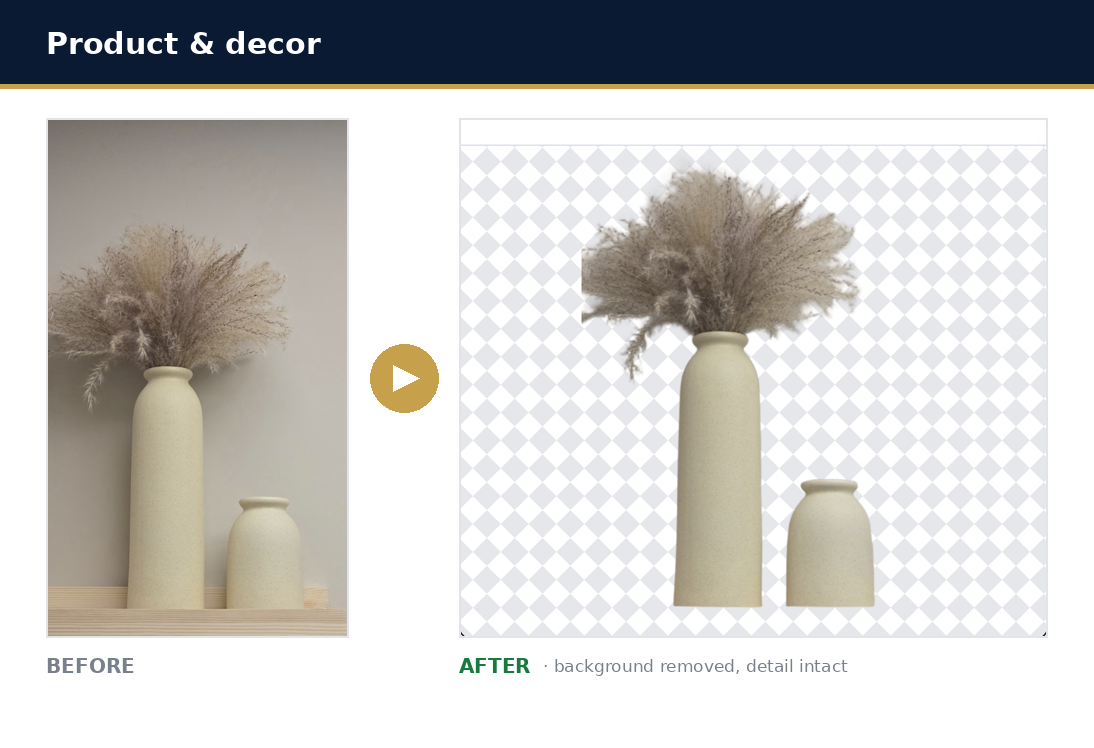
Create premium, object-aware cutouts that preserve the complete intended foreground—including product styling props—while removing only the surface and background.
Upgrade to unlock Smart Background Remover
This premium tool needs an active paid plan (Starter, Growth, or Scale). Choose a plan, then each run uses your normal credit balance.
View paid plansBuilt for the shots that break a basic remover
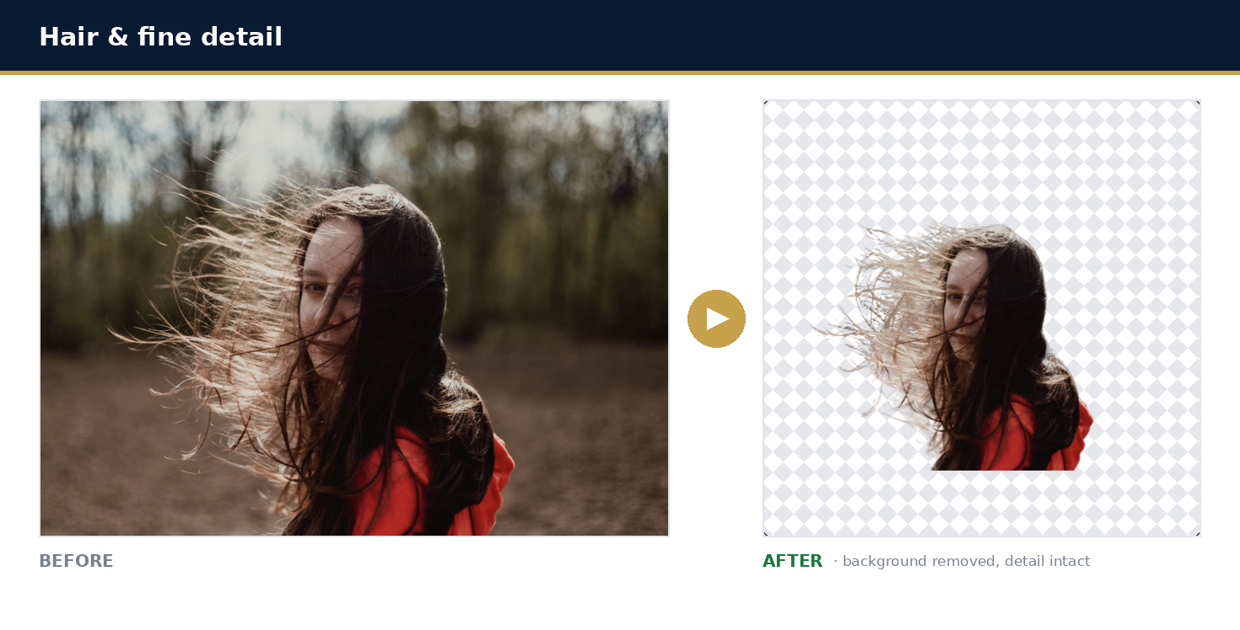
Hair, fur, feathers, fine detail — Smart Background Remover keeps every strand and edge, where a one-click tool leaves halos, speckle, and gaps.
Why use Smart Background Remover?
Practical advantages built around real creation, selling, and operations workflows.
Composition-aware
Preserves the product and intentional styling props as one foreground composition.
Two useful PNGs
Download a transparent cutout and a marketplace-ready white-background version.
Premium matting
BiRefNet handles fine boundaries and more complex product scenes than single-object extraction.
Three simple steps
Launch the workflow from this page and keep moving without extra setup.
Upload
Choose a JPG, PNG, or WEBP image up to 20MB.
Confirm
Review the credit cost and explicitly confirm before processing.
Download
Save either the transparent or flattened white PNG.
Where this tool fits
Use Azan AI for the everyday scenarios that slow down launches, campaigns, and operations.
Styled product sets
Retain coordinated props that are part of the intended merchandise scene.
Marketplace imagery
Produce transparent assets and clean white listing images.
Smart Background Remover questions
Answers to common questions before you run the tool.
How is this different from Background Remover?
This separate premium tool aims to keep the complete intended foreground composition, while the standard tool targets a single salient object.
Is there a free run?
No. Smart Background Remover requires an active paid plan (Starter, Growth, or Scale) and consumes credits per successful run.
What files are supported?
JPG, PNG, and WEBP images up to 20MB.
Keep building with Azan AI
Explore adjacent workflows for content, product visuals, and utility generation.
Background Remover
Remove distracting backgrounds from product and marketing images, then download a transparent PNG for your next listing, ad, or design.
Explore Background RemoverImage Studio: Image Enhancer
Fix blurry, dim, or noisy photos in seconds. Sharpen detail, balance lighting, and reduce noise while keeping every person, object, and detail exactly as captured.
Explore Image Studio: Image EnhancerAI Image Generator
Turn a text prompt into an original AI image with free daily previews or higher-quality Pro generation.
Explore AI Image GeneratorProduct-Scene Generator
Place your real product into polished, professional e-commerce scenes while preserving the product itself.
Explore Product-Scene Generator