 Guides
AI Amazon Listing Generator: Write Listings That Sell
By Muhammad Nadeem · Blog #27
Updated
📖 6 min read · 1,218 words
An AI Amazon listing generator turns a few product details into a full, search-ready listing — title, bullet points, and description — in about a minute instead of an afternoon. If you sell across Amazon, Noon, Shopify, Etsy, or TikTok Shop, the real pain isn't writing one listing. It's writing the same product five different ways, each to a different platform's rules and character limits, without your copy sounding thin or robotic. This guide shows how to use an AI listing generator properly: what to feed it, how to keep it accurate, and how to adapt one draft for every marketplace you sell on.
Why manual listings quietly cost you sales
Most sellers write a title, paste it everywhere, and move on. Then they wonder why the same product ranks on one channel and disappears on another. The reasons are boring but real:
- Amazon rewards keyword-rich titles and five benefit-led bullets, and it hides "search terms" in a backend field buyers never see.
- Noon favors cleaner titles and is a bilingual market — an Arabic version genuinely lifts conversion in the GCC.
- Etsy is tag-driven and rewards long-tail, buyer-language phrases.
- Shopify and TikTok Shop are yours to shape, but they still need scannable copy and a keyword-aware meta description.
Rewriting all of that by hand is where sellers stall. An AI generator removes the blank-page problem so you can spend your time on the two things that actually move the needle: accuracy and good photos.
What to feed the generator (garbage in, garbage out)
The single biggest mistake is typing "wireless earbuds" and expecting magic. AI writes only as well as the brief you give it. Before you generate anything, gather:
- The exact product name and category.
- 3–6 real features — battery life, material, dimensions, what's in the box.
- Who it's for — "commuters who take calls," not "everyone."
- Your target keyword — the phrase a buyer actually types (use Amazon's own search bar autocomplete as free keyword research).
- Any compliance facts — certifications, warranty, safety notes.
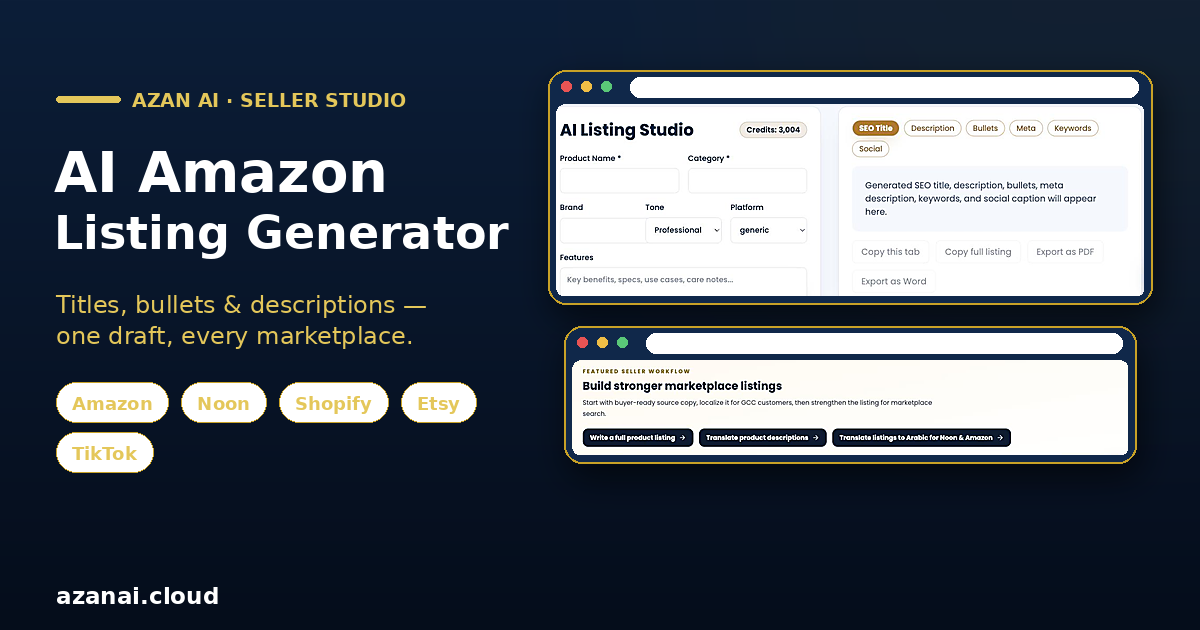
Feed those into Azan AI's AI Listing Studio and you'll get a structured draft — title, bullets, and description — instead of one vague paragraph. The more specific your inputs, the less editing you'll do afterward.
A 5-step workflow that works on every marketplace
1. Generate the master listing
Start with your strongest channel (usually Amazon) and generate the full set: a keyword-led title, five bullets, and a description. Treat this as your master draft, not the finished product.
2. Fact-check every claim
This is the step people skip, and it's the one that gets listings suppressed. Read every line and confirm it's true for your product. AI will happily invent "IP67 waterproof" if your bullet points hint at it. Delete anything you can't stand behind. Accuracy protects your account and your reviews.
3. Fit each platform's rules
Now adapt the master draft per channel. Amazon titles run long and keyword-heavy; Noon and Etsy titles read cleaner. Bullets that are fine on Amazon may need trimming elsewhere. If you're rewriting an existing description rather than starting fresh, the marketplace description rewriter reshapes the same copy to a platform's tone and length without you retyping it.
4. Localize for the market
Selling in the UAE or Saudi Arabia? A native Arabic listing isn't a nice-to-have on Noon and Amazon.ae — it's a conversion lever. Run your finished English copy through a product translation tool built for listings, which keeps product terms intact instead of translating them literally. Amazon itself notes that localized listings help you reach more buyers (Amazon on listing translation).
5. Load the backend keywords
On Amazon, the hidden "search terms" field is free ranking real estate. Add relevant synonyms, misspellings, and use-cases you couldn't fit in the visible title. Don't repeat words already in your title — that's wasted space.
Titles, bullets, and descriptions: what "good" looks like
Titles should front-load the primary keyword and the one attribute buyers filter by (size, color, count). Lead with what it is, then what makes it worth buying — our guide to writing product titles that rank breaks down the exact formula.
Bullets sell benefits, not just specs. "10-hour battery" is a spec; "10 hours of playback — a full workday on one charge" is a benefit. Aim for one clear idea per bullet.
Descriptions are where you handle objections and reinforce keywords naturally. Write for a skimming human first and the algorithm second. Google's own guidance is that helpful, people-first content is what ranks (Google SEO Starter Guide) — and that's just as true for on-marketplace search. Before you hit publish, run every listing through our 2026 product listing SEO checklist so nothing gets missed.
Don't forget the photo
A perfect listing with a dim, cluttered photo still won't convert. Every major marketplace expects a clean main image — Amazon and Noon both require a pure white background on the primary shot. Before you publish, make sure your images meet spec (our guide to white-background product photos for Amazon and Noon covers the exact requirements). Copy and image work as a pair; fix both.
When to trust AI — and when not to
Use the generator for the first draft, the structure, the platform variants, and the translation. Keep the human in the loop for facts, brand voice, and anything a customer could hold you to. That split — AI for speed, you for accuracy — is how sellers ship dozens of quality listings a week without burning out or risking their accounts. For a wider look at where AI fits a seller's workflow, see our roundup of the best AI tools for online sellers in 2026.
Frequently asked questions
Is it safe to use an AI-generated listing on Amazon? Yes, as long as you fact-check it before publishing. Amazon's policies are about accuracy and prohibited claims, not about how the text was written. Never publish a claim you can't verify.
Will an AI listing generator do my keyword research? It uses the keywords you give it and suggests related phrasing, but you should still confirm real demand — Amazon's search-bar autocomplete and your competitors' titles are free, reliable starting points.
Can one tool write listings for Amazon, Noon, Shopify, and Etsy? Yes. Generate one strong master listing, then adapt the title length, tone, and tags to each platform. A rewriter tool speeds up the per-platform versions.
How do I get an Arabic version for the GCC? Run your finished English listing through a translation tool built for e-commerce, which preserves product names and specs rather than translating them word-for-word. Review it with a native speaker if you can.
What are Amazon backend keywords? They're hidden search terms buyers never see but the algorithm reads. Fill the field with synonyms, use-cases, and spellings that didn't fit your visible title — without repeating words you've already used.
How long should the whole process take? Once you've gathered your product facts, a full multi-platform listing set — draft, fact-check, platform variants, and translation — takes well under an hour, versus the half-day it takes by hand.
Try it free
Stop rewriting the same product five times. Generate a search-ready title, bullets, and description in minutes with the AI Listing Studio — then adapt and translate it for every marketplace you sell on. Your first listings are on us.
Reference: Blog #27 — quote this number if you contact us about this article