 Seller Playbook
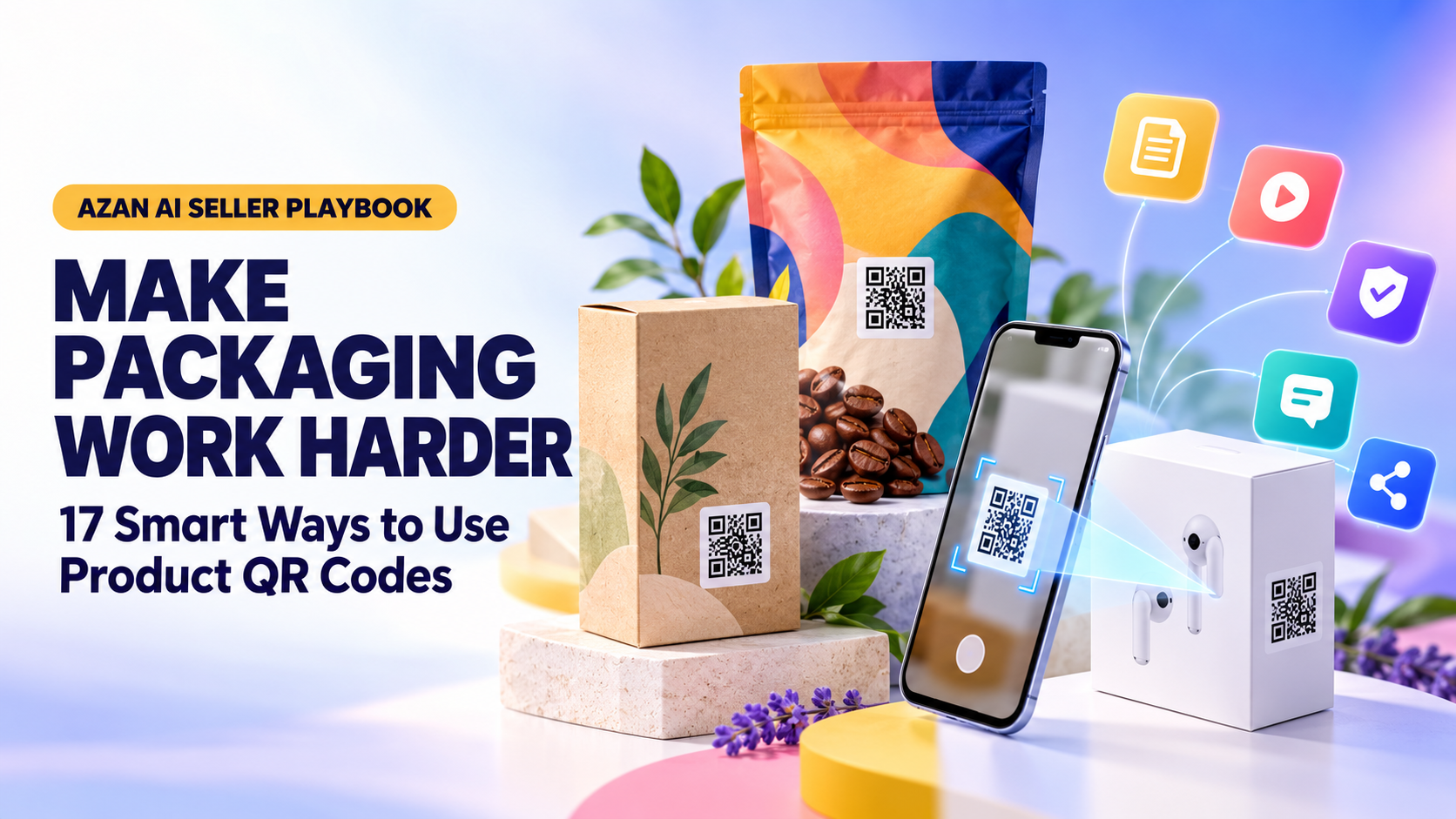
How to Use QR Codes on Product Packaging: 17 Practical Ideas for Sellers
By Muhammad Nadeem · Blog #35
📖 14 min read · 2,962 words
A product package has limited space, but customers often need more information than a label can hold.
They may want setup instructions, a demonstration video, care guidance, warranty details, replacement parts, customer support or proof that the product is genuine.
A QR code can connect the physical product to that digital information with one scan.
However, adding a QR code simply because it looks modern is not enough. The code needs a clear purpose, a trustworthy destination and a reason for the customer to scan it.
This guide explains how online sellers and small businesses can use QR codes on product packaging effectively, with 17 practical ideas, placement guidance, printing tips and common mistakes to avoid.
What Is a Product Packaging QR Code?
A QR code is a two-dimensional code that can store or open information when scanned with a compatible smartphone camera.
On product packaging, it can connect customers to:
- A product page
- An instruction manual
- A demonstration video
- A warranty form
- A digital contact card
- A social media page
- A customer-support channel
- A document or image gallery
- A map or store location
- Care and safety information
The QR code acts as a bridge between the physical package and a digital destination.
It does not automatically improve the customer experience. The value comes from what happens after the scan.
Why Use QR Codes on Packaging?
Packaging space is expensive and limited. Long instructions, several languages and large images can make a label difficult to read.
A QR code allows a seller to keep the physical packaging clean while giving customers access to additional information online.
A useful product QR code can help you:
- Explain how to use the product
- Reduce repetitive support questions
- Share updated documentation
- Provide information in multiple languages
- Collect product registrations
- Encourage repeat purchases
- Connect buyers with your brand
- Show information that would not fit on the package
- Improve the experience after delivery
The goal is not to remove essential information from the package. Required warnings, ingredients, legal disclosures and safety instructions must still appear wherever applicable.
The QR code should extend the packaging—not hide information customers must see before using the product.
17 Practical Ways to Use QR Codes on Product Packaging
1. Link to a Product Instruction Manual
Printed manuals increase packaging size and can be lost after the box is opened.
A document QR code can connect customers to a digital manual they can reopen whenever needed.
This works well for:
- Electronics
- Furniture
- Kitchen tools
- Toys
- Fitness equipment
- Beauty devices
- Home-improvement products
Place a short instruction near the code, such as:
“Scan for the complete user guide.”
Do not write only “Scan me.” Tell the customer exactly what the scan provides.
2. Show a Product Demonstration Video
Some products are easier to understand through a short video than through several paragraphs of text.
A video can demonstrate:
- Assembly
- Installation
- Setup
- Cleaning
- Correct usage
- Troubleshooting
- Storage
- Safety precautions
Keep the video focused on the product the customer purchased. Avoid sending buyers to a general channel where they must search for the correct instructions.
3. Provide Care and Cleaning Instructions
Products made from leather, fabric, wood, metal or delicate materials may require specific care.
A QR code can open a page explaining:
- Recommended cleaning methods
- Products or chemicals to avoid
- Drying instructions
- Storage recommendations
- Maintenance frequency
- How to prevent damage
Clear care guidance can help customers protect the item and reduce avoidable complaints.
4. Offer Instructions in Multiple Languages
Printing several complete translations on a small package can make the design crowded.
A QR code can direct customers to a language-selection page containing instructions in English, Arabic and other relevant languages.
This is especially useful for sellers operating across the UAE, GCC or international markets.
Translations should still be reviewed for accuracy. Safety warnings and technical instructions should not depend entirely on unverified machine translation.
5. Register a Product or Activate a Warranty
A QR code can take customers directly to a product-registration or warranty page.
The form should request only information genuinely required for registration.
Tell customers:
- Why registration is useful
- What information is required
- How their information will be used
- Whether registration is optional
- What warranty terms apply
Avoid claiming that scanning automatically creates a warranty unless your process actually supports that promise.
6. Provide Faster Customer Support
A customer experiencing a problem should not have to search through a website for the correct contact page.
A support QR code can open:
- A help centre
- A support form
- A WhatsApp conversation
- An email form
- A troubleshooting page
- A contact card
Add context beside the code:
“Need help? Scan for product support.”
Do not place private staff numbers or personal contact information on packaging distributed publicly.
7. Share Product Specifications
A QR code can provide detailed specifications that would be difficult to fit on a label.
These may include:
- Dimensions
- Materials
- Capacity
- Compatibility
- Model numbers
- Technical data
- Package contents
- Replacement-part information
Specifications must match the actual product. Do not use a generic document for several models if the details differ.
8. Display an Image Gallery
Some products benefit from additional visual guidance.
A QR image gallery can show:
- Alternative product angles
- Assembly stages
- Product features
- Included accessories
- Before-and-after examples
- Styling ideas
- Care steps
Azan AI QR Studio supports hosted image galleries, allowing sellers to share a mobile-friendly collection instead of linking customers to several separate images.
Create a QR Gallery here:
https://www.azanai.cloud/tools/qr-code-generator
9. Connect Customers to Replacement Parts
Customers may need replacement filters, lids, cables, covers, refills or other components.
A QR code can take them to a page containing compatible replacements.
The destination should make compatibility clear. Include the product model or variant so customers do not accidentally order the wrong part.
10. Encourage an Honest Product Review
A QR code can make it easier for customers to reach a legitimate review page after using the product.
Use neutral wording such as:
“Share your experience.”
Do not make warranty service, support or gifts conditional on leaving a positive review. Do not ask only satisfied customers to review while privately redirecting dissatisfied customers elsewhere.
Review requests must follow the rules of the marketplace where the product was sold.
11. Promote Responsible Repeat Purchases
Consumable or refillable products can use a QR code to help customers reorder the correct version.
This works for:
- Filters
- Beauty products
- Cleaning supplies
- Food products
- Printer supplies
- Pet products
- Replacement accessories
Send customers to the exact product or refill page—not a crowded homepage.
The destination should clearly identify pack size, model, colour or compatibility.
12. Share Recipes or Creative Uses
A food item, kitchen product or craft material can provide additional value through useful ideas.
For example:
- A spice brand can share recipes
- A blender can link to smoothie ideas
- A storage product can show organisation tips
- Craft supplies can link to tutorials
- A water bottle can link to hydration guidance
The content should be genuinely helpful rather than a disguised sales page.
13. Explain Recycling and Disposal
Customers may be unsure how to dispose of packaging, batteries, electronics or refill containers.
A QR code can provide:
- Material information
- Recycling instructions
- Disposal warnings
- Take-back programme details
- Local collection information
- Guidance for separating packaging components
Do not use broad environmental claims such as “100% sustainable” unless they are accurate, specific and supportable.
14. Tell the Product’s Story
Some customers want to know where a product came from and how it was made.
A product-story page may include:
- Material sourcing
- Manufacturing process
- Maker information
- Design inspiration
- Quality-control steps
- Certifications
- Community initiatives
Use real information. Avoid inventing a heritage story or implying handmade production if the product is mass-produced.
15. Connect to Social Media
A social QR code can take customers to a mobile-friendly page containing your selected social profiles.
This can help customers find:
- YouTube
- TikTok
Give people a reason to follow:
“Scan for tutorials, product ideas and new releases.”
Azan AI QR Studio can create a hosted social-link page so multiple profiles can be reached through one QR code.
16. Share a Digital Contact Card
A contact QR code is useful on wholesale packaging, sample kits, catalogues and business-to-business products.
It can share:
- Business name
- Contact person
- Phone number
- Website
- Business address
- Job title
Azan AI supports direct vCard information and an optional hosted contact page.
A digital contact card is particularly useful at trade shows, exhibitions and wholesale meetings where buyers may want to save supplier details quickly.
17. Support Product Authenticity Checks
A QR code can direct customers to an official page explaining how to identify genuine products.
The page may show:
- Correct packaging details
- Official model information
- Authorised sales channels
- Batch or serial verification
- Support contacts
- Known warning signs
A basic QR code alone does not prove authenticity because a visible code can be copied.
A reliable verification system requires unique identifiers, secure records or another controlled process. Do not advertise a normal website QR code as an anti-counterfeit solution unless such a system exists behind it.
What Should a Packaging QR Code Link To?
Choose the destination before designing the code.
The best destination is usually a mobile-friendly page created specifically for the product and the customer’s likely need.
Possible destinations include:
- A direct webpage
- A PDF or document
- A hosted image gallery
- A social-link page
- A contact card
- A map location
- A WhatsApp link
- A product-support page
Azan AI QR Studio provides several QR workflows, including standard URL, text, email, phone, WhatsApp, WiFi, contact, social, maps, gallery and document QR codes.
Open QR Studio:
https://www.azanai.cloud/tools/qr-code-generator
Static QR Code or Changeable Destination?
Think carefully before printing thousands of packages.
If a basic QR code directly contains a webpage URL, changing that webpage address later may make the printed code unusable.
Whenever possible:
- Use a web address on a domain you control.
- Keep the address short and permanent.
- Redirect that address internally if the final content moves.
- Avoid linking directly to temporary file-storage URLs.
- Do not use a page you may delete after a campaign ends.
For more advanced retail identification, businesses can investigate GS1 Digital Link. It connects GS1 product identifiers with online information through a structured web address.
This is different from creating a normal marketing QR code and may require proper GS1 identifiers and implementation.
A Packaging QR Code Does Not Automatically Replace a Barcode
A QR code used for manuals, videos or marketing should not be assumed to replace an EAN, UPC or other retail barcode.
Traditional retail systems may still require the standard barcode used for product identification and checkout.
GS1 currently advises that a consumer-facing GS1 QR code may need to appear alongside an EAN or UPC until retail systems are ready for the relevant two-dimensional barcode transition.
Always confirm barcode requirements with:
- The retailer
- The marketplace
- Your GS1 organisation
- The distributor
- The applicable regulatory authority
Do this before printing large quantities of packaging.
How to Design a QR Code Customers Can Scan
Maintain strong contrast
A dark foreground on a light background is the safest starting point.
Creative colours may work, but the code must remain clearly distinguishable from its background.
Avoid:
- Very light foreground colours
- Busy photographic backgrounds
- Similar foreground and background colours
- Strong gradients inside the code
- Reflective surfaces that create glare
Protect the clear area
A QR code needs empty space around its edges.
Do not place text, borders, patterns or other graphics too close to it.
Use an appropriate size
The correct printed size depends on scanning distance, code complexity, printing quality and packaging material.
Do not shrink the code until it becomes difficult to scan. Print a physical sample at the final size and test it before approving production.
Use SVG for professional printing
SVG is a vector format that can remain sharp when resized.
Azan AI QR Studio supports both PNG and SVG downloads. PNG is convenient for ordinary digital use, while SVG is generally better for professional print layouts.
Use logos carefully
A small centre logo may support branding, but a large logo can cover too much of the QR pattern.
After adding a logo, test the code again on several devices.
Add a clear call to action
A QR code without context may be ignored or treated with suspicion.
Use a short instruction such as:
- Scan for setup instructions
- Scan to register your warranty
- Scan for recipes
- Scan for product support
- Scan to view the complete manual
- Scan to reorder the correct refill
The call to action should match the destination exactly.
Test Before Printing
Never approve packaging based only on an on-screen preview.
Use this testing process:
- Print the code at its intended physical size.
- Test it under normal indoor lighting.
- Test it on both Android and iPhone devices.
- Test from several reasonable angles.
- Test the actual packaging material.
- Check for glare on glossy labels.
- Confirm that the destination loads on mobile.
- Test using ordinary mobile data, not only fast office WiFi.
- Check that the linked page contains the promised information.
- Ask someone unfamiliar with the project to scan it.
If the person does not understand what to do after scanning, improve the page or the call to action.
Common Packaging QR Code Mistakes
Linking to the homepage
A homepage forces customers to search for the information promised on the package.
Link directly to the relevant manual, support page, gallery or product resource.
Using a temporary destination
A temporary campaign page, shared-drive link or file URL may stop working while the packaging remains in circulation.
Use a destination you can maintain.
Making the code too small
A code that fits the design but does not scan is useless.
Test the real printed size.
Printing over a fold or curve
Avoid placing the code across:
- Box folds
- Bottle curves
- Seams
- Textured materials
- Areas likely to be damaged
- Highly reflective surfaces
Choose a flat, visible and protected area.
Adding too many QR codes
Several unexplained codes create confusion.
Whenever possible, use one primary code leading to a well-organised mobile destination.
Failing to explain the benefit
“Scan me” does not tell the customer why scanning is worthwhile.
State the benefit clearly.
Forgetting security and trust
Customers may hesitate to scan an unexplained code.
Use recognisable branding, describe the destination and link to a domain associated with your business.
Check the physical packaging periodically. A fraudulent sticker placed over the real QR code could redirect customers elsewhere.
Product Packaging QR Checklist
Before sending the packaging to print, confirm:
☐ The QR code has one clear purpose ☐ The call to action explains the benefit ☐ The destination works on mobile ☐ The destination belongs to or is controlled by the business ☐ The page matches the product and variant ☐ Required information still appears physically on the package ☐ The QR code has strong contrast ☐ There is clear space around the code ☐ The code is large enough to scan ☐ It is not placed over a fold, seam or strong curve ☐ The code works on Android and iPhone ☐ The printed sample has been tested ☐ The page contains no outdated information ☐ Customer data is not requested unnecessarily ☐ The standard retail barcode remains where required
Frequently Asked Questions
What can I put in a product QR code?
You can encode or link to a website, text, email address, phone number, WhatsApp link, contact details, social profiles, map location, image gallery or document.
Can I put a PDF manual in a QR code?
The complete PDF is not normally stored inside the visible QR pattern. The code generally opens a link where the PDF can be viewed or downloaded.
Azan AI’s Document QR workflow can provide a hosted destination for a document.
Can a QR code replace my UPC or EAN barcode?
Do not assume it can. A marketing QR code is not automatically a point-of-sale product barcode. Confirm requirements with the retailer, distributor and GS1 organisation.
Should I use PNG or SVG?
PNG is convenient for websites and simple digital designs. SVG is usually preferable for professional printing because it can be resized while remaining sharp.
Can I change the destination after printing?
Not if the QR code directly contains a URL that you no longer control. A better approach is to link to a permanent address on your own domain and manage where it redirects.
How many QR codes should I put on one package?
One well-planned code is usually clearer than several competing codes. If several resources are needed, link to a mobile page that organises them.
Is it safe to add my logo to the centre?
A modest centre logo may work, but it can reduce scan reliability if it covers too much of the pattern. Always test the final design after adding it.
Where should I place a QR code on packaging?
Use a visible, flat area with good contrast. Avoid seams, folds, strong curves, metallic reflections and locations likely to be scratched or removed.
Final Thoughts
A QR code should solve a real customer problem.
It can replace a bulky printed manual, demonstrate a product, provide support, share care instructions or help a buyer find the correct refill.
But the code itself is only the doorway.
The experience depends on the destination, the message beside the code and whether everything still works months after the product has been sold.
Choose one useful purpose. Create a mobile-friendly destination. Add a specific call to action. Print a real sample and test it thoroughly.
When these details are handled properly, a small square on the package can become one of the most useful parts of the customer experience.
Ready to create your product QR code?
Open Azan AI QR Studio:
https://www.azanai.cloud/tools/qr-code-generator
Sources and Further Reading
Azan AI QR Studio https://www.azanai.cloud/tools/qr-code-generator
GS1: What Is GS1 Digital Link? https://support.gs1.org/support/solutions/articles/43000729075-what-is-gs1-digital-link-
GS1: Does a GS1 QR Code Replace EAN or UPC Barcodes? https://support.gs1.org/support/solutions/articles/43000734340-does-the-gs1-qr-code-replace-ean-or-upc-barcodes-
GS1: Why Put a Digital Link URI in a QR Code on Pack? https://support.gs1.org/support/solutions/articles/43000734143-why-put-a-digital-link-uri-in-a-qr-code-on-pack-today-
Azan AI community
Join the Conversation
Was this guide useful?
Comments
Have a question or an idea to add? Share it with the Azan AI community.
Loading comments…
Reference: Blog #35 — quote this number if you contact us about this article