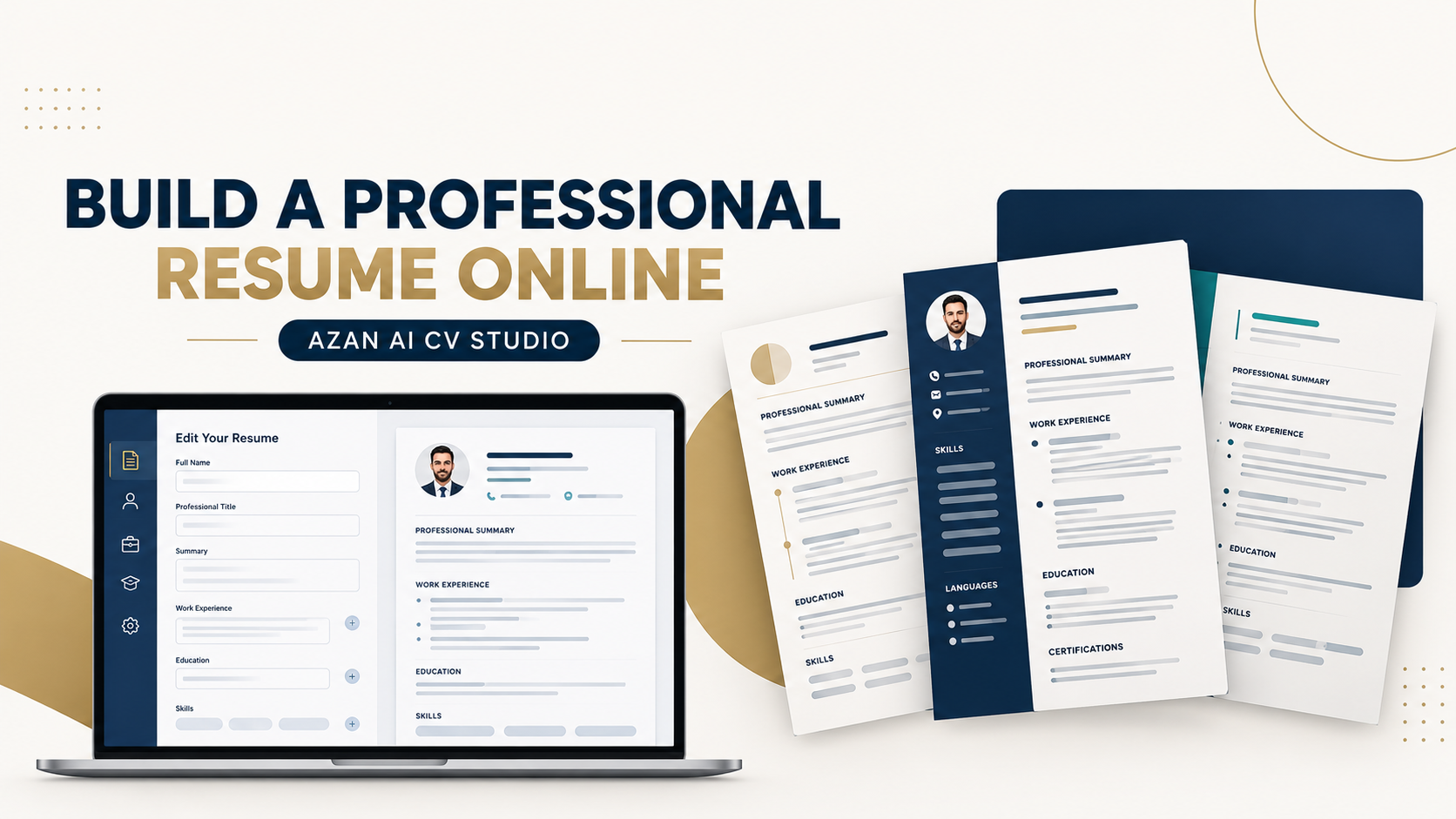
 CV & Career
Online Resume Builder: Create a Professional CV
By Muhammad Nadeem · Blog #30
📖 10 min read · 2,153 words
Creating a professional resume should not require advanced design skills or hours of fighting with margins, text boxes, fonts, and spacing.
A good resume has a more important job: it must present your real experience, qualifications, skills, and achievements in a format that employers can understand quickly.
An online resume builder can simplify this process by giving you a structured layout, guided sections, role-specific examples, and a live preview of the finished document. However, the tool can only organize the information you provide. You still need to choose accurate, relevant content.
This guide explains how to create a professional resume online, choose the right template, write stronger experience points, and avoid mistakes that may weaken your application.
What Is an Online Resume Builder?
An online resume builder is a browser-based tool that helps job seekers create a formatted resume or CV without designing the document from scratch.
Instead of manually arranging every section in Microsoft Word or another editor, you complete guided fields for information such as:
- Contact details
- Target job title
- Professional summary
- Work experience
- Education
- Skills
- Certifications
- Languages
- Projects
- Achievements
The builder places that information inside a consistent resume design that you can review and edit.
A professional resume builder should make the document easier to create. It should not invent employers, qualifications, responsibilities, or achievements.
Resume or CV: Which One Do You Need?
The terms “resume” and “CV” are used differently around the world.
In the United States and Canada, a resume is normally a concise document tailored to a particular job. The term CV is often reserved for academic, medical, research, or teaching careers.
In the UAE, GCC, UK, Europe, Pakistan, and many other markets, employers commonly use the term CV for a standard job-application document.
Before applying, check:
- The wording used in the vacancy
- Normal practice in the destination country
- The expectations of your industry
- Whether the employer requests a specific format
- Whether a photograph or personal details are expected
When an employer requests a resume, submit a resume. When the employer requests a CV, follow the requested format while keeping the document relevant and readable.
Why Use an Online Resume Builder?
You Start With a Professional Structure
A blank page can make it difficult to decide what to include or where each section should go.
A structured builder gives your information a logical order, helping employers identify your experience, education, and skills more easily.
Formatting Stays Consistent
In manually created documents, one small edit can move headings, bullet points, and page breaks into the wrong positions.
A resume builder helps maintain consistent:
- Fonts
- Heading styles
- Margins
- Section spacing
- Bullet formatting
- Dates
- Alignment
Templates Can Match Your Career
A fresh graduate, nurse, accountant, teacher, salesperson, and software engineer do not need identical content.
Role-specific resume templates can provide more relevant section ideas, skill examples, and achievement prompts.
Explore the Azan AI resume templates by job role to choose a starting point that matches your professional direction.
You Can Review the Document as You Build
A live preview makes it easier to see when a summary is too long, a section feels crowded, or important experience is difficult to find.
You can shorten and improve the content before downloading the final document.
Step 1: Choose the Job You Want
Do not start by writing everything you have ever done.
Begin with the vacancy you want to apply for. Read the job description carefully and identify:
- Main responsibilities
- Required skills
- Preferred experience
- Software or tools
- Qualifications
- Certifications or licences
- Industry terminology
- Language requirements
- Location or work-authorization requirements
Your resume should emphasize the parts of your real background that are most relevant to that position.
This does not mean copying the job advertisement or adding keywords for experience you do not have. It means making genuine matching experience easier to find.
Step 2: Choose a Suitable Resume Template
The right template depends on your experience, industry, and destination market.
Use a Clean Professional Template When:
- Applying for office, management, finance, administration, healthcare, or technical roles
- Submitting through an online application system
- Applying to a conservative or traditional employer
- You want your experience to remain the main focus
Use a More Visual Template Carefully When:
- Applying for a design, creative, marketing, or media position
- The employer values visual presentation
- You also provide a portfolio
- The layout remains readable and does not hide important information
Decoration should support the content—not compete with it.
Job seekers can browse original templates and guided career content in the Azan AI Resume Library, then continue building the document inside CV Studio.
Step 3: Add Clear Contact Information
Place your essential contact details near the top of the resume.
Normally, this includes:
- Full professional name
- Mobile number
- Professional email address
- City and country
- LinkedIn profile, when relevant
- Portfolio or professional website, when relevant
Use an email address based on your name whenever possible.
Avoid adding confidential information unless it is specifically required at a later stage. This may include:
- Passport number
- National identification number
- Bank details
- Full residential address
- Personal account passwords
- Confidential employer information
Always check the normal recruitment practice and privacy expectations in the country where you are applying.
Step 4: Write a Focused Professional Title
Your professional title should quickly communicate your career direction.
Examples include:
- Operations Manager
- Administrative Assistant
- Registered Nurse
- Software Engineer
- Sales Executive
- Accountant
- Customer Service Representative
- Data Analyst
- Project Manager
- Primary School Teacher
Use a title that is truthful and relevant to the vacancy.
If your employer used an unusual internal title, you may add a recognizable role description where accurate. For example:
Client Journey Coordinator — Customer Service
This gives the recruiter useful context without changing the truth.
Step 5: Create a Strong Professional Summary
Your professional summary should be a short introduction—not your complete life story.
A useful summary normally includes:
- Your profession
- Relevant years or level of experience
- Industry background
- Important strengths
- One or two credible achievements
- The type of role you are targeting
Weak Summary
Hardworking professional looking for a challenging position where I can use my skills and grow with the company.
This statement is generic and could describe almost any applicant.
Stronger Summary
Operations professional with seven years of experience coordinating transport services, supervising teams, managing client requirements, and supporting high-volume daily operations. Experienced in vendor coordination, service scheduling, performance reporting, and resolving operational issues in time-sensitive environments.
The stronger version gives the employer specific reasons to continue reading.
Fresh graduates can focus on education, internships, projects, technical skills, volunteering, and the type of entry-level role they are pursuing.
The Azan AI Fresh Graduate Resume Template provides a role-ready starting point for applicants with limited formal work experience.
Step 6: Write Work Experience That Shows Value
Many resumes list only routine duties.
For example:
Responsible for customer service and daily operations.
This does not explain the scope of the work or the value provided.
A stronger experience point combines:
Action + responsibility + context + result
Examples:
- Coordinated daily transport schedules for corporate clients, drivers, and external vehicle suppliers to maintain service coverage during peak periods.
- Prepared weekly performance reports that helped management identify recurring delays and improve route allocation.
- Supervised a customer-service team, handled escalated complaints, and introduced a follow-up process that reduced unresolved cases.
- Managed supplier invoices and reconciliations while maintaining accurate monthly financial records.
- Built responsive application features and resolved production issues in coordination with design and backend teams.
Use numbers when they are accurate and useful, but never invent metrics simply to make a bullet point sound impressive.
Step 7: Add Relevant Skills
A long list of generic skills does not automatically strengthen a resume.
Choose skills that match the vacancy and that you can support through experience, education, or projects.
Examples of Technical Skills
- Microsoft Excel
- Financial reporting
- SQL
- Data visualization
- JavaScript
- Customer relationship management systems
- Inventory management
- Project scheduling
- Clinical documentation
- Lesson planning
Examples of Professional Skills
- Team supervision
- Vendor coordination
- Client communication
- Problem-solving
- Time management
- Performance reporting
- Training and onboarding
- Complaint resolution
Avoid rating yourself with unclear progress bars or percentages such as “Leadership: 95%.” These scores are difficult to verify and may not provide meaningful information to an employer.
Step 8: Present Education and Certifications Clearly
Your education section should normally include:
- Qualification
- Subject or specialization
- School, college, or university
- Location
- Completion year or expected completion date
Add relevant certifications separately, especially when the position requires a licence, professional registration, safety training, software certification, or specialist qualification.
Do not claim that a qualification is completed if it is still in progress. Use wording such as:
Expected completion: June 2027
Step 9: Use a Resume Template for Your Role
Role-specific guidance can help you identify the information employers are likely to expect.
Azan AI currently provides dedicated resume pages for career paths including:
- Software Engineer Resume Template
- Nurse Resume Template
- Teacher Resume Template
- Accountant Resume Template
- Sales Executive Resume Template
- Data Analyst Resume Template
- Fresh Graduate Resume Template
These pages provide a focused starting point. You should still customize the content according to your actual background and the vacancy.
Step 10: Build and Review Your Resume Online
Once your information is ready, open the Azan AI CV Studio.
A practical workflow is:
- Choose a professional template.
- Add your contact and career information.
- Complete each resume section.
- Review the live document.
- Shorten crowded paragraphs.
- Improve weak experience bullet points.
- Compare the content with the target vacancy.
- Check spelling, dates, and contact details.
- Download the final document.
- Open the downloaded file and review it before applying.
Do not assume the document is ready simply because it has been exported. Always perform one final check.
Common Resume Mistakes to Avoid
Using One Resume for Every Job
You do not need to rewrite the entire document each time, but you should adjust the title, summary, skills, and experience emphasis for the vacancy.
Adding Unsupported Keywords
Only use skills and terminology that accurately reflect your experience. Keyword stuffing cannot replace missing qualifications.
Writing Long Paragraphs
Recruiters need to identify relevant information quickly. Use concise paragraphs and clear bullet points.
Focusing Only on Job Duties
Explain your responsibilities, scope, improvements, contributions, and results—not only the basic tasks associated with your title.
Using an Overcomplicated Design
Heavy graphics, narrow columns, unusual fonts, icons without labels, and decorative charts may make important information harder to read.
Adding Too Much Personal Information
Include only information that is relevant, appropriate, and normally expected in the country where you are applying.
Submitting Without Proofreading
Incorrect contact details, inconsistent dates, spelling mistakes, and unfinished template text can damage an otherwise strong application.
Professional Resume Checklist
Before submitting your application, confirm that:
- Your name and contact details are correct
- Your professional title matches your direction
- Your summary is specific and concise
- Your experience is listed in a logical order
- Your strongest achievements are easy to find
- Your skills are relevant to the vacancy
- Your education and certifications are accurate
- Your dates use a consistent format
- Your formatting is clean and readable
- Unnecessary personal information has been removed
- No confidential information is included
- The final downloaded document opens correctly
- The filename is professional
A clear filename could be:
Muhammad-Nadeem-Operations-Manager-CV.pdf
Avoid filenames such as:
CV-final-new-latest-2.pdf
Frequently Asked Questions
Can I create a resume online for free?
Yes. Azan AI allows users to explore CV Studio and resume templates through its free tier, subject to the current usage limits shown on the platform.
What should a professional resume include?
A professional resume normally includes contact information, a target title, professional summary, work experience, education, relevant skills, certifications, and optional sections such as languages or projects.
How long should my resume be?
There is no single correct length for every applicant. One page may suit a fresh graduate or early-career applicant, while an experienced professional may require two pages. Relevance and clarity are more important than forcing the document into an arbitrary length.
Should I create a different resume for every job?
Create a strong master resume, then tailor its summary, skills, terminology, and experience emphasis for each suitable vacancy. Never add experience or qualifications you do not have.
Can an online resume builder guarantee an interview?
No. No resume builder can honestly guarantee an interview or job offer. A builder can help you create a clear and professional document, but hiring decisions depend on experience, qualifications, competition, timing, work authorization, recruiter judgment, and other factors.
Is Azan AI CV Studio only for experienced professionals?
No. It can support experienced professionals, career changers, and fresh graduates. Applicants with limited experience can focus on education, internships, projects, volunteering, relevant skills, and academic achievements.
Build Your Professional Resume With Azan AI
Your experience deserves to be presented clearly.
Use the Azan AI Resume Library to explore templates and guidance by job role. When you are ready, open Azan AI CV Studio to add your information, review the live document, and create a professional resume online.
Choose your template and start building your CV with Azan AI today.
Azan AI community
Join the Conversation
Was this guide useful?
Comments
Have a question or an idea to add? Share it with the Azan AI community.
Loading comments…
Reference: Blog #30 — quote this number if you contact us about this article