 Seller Playbook
A 30-Minute AI Product Listing Workflow for Busy Sellers
By Muhammad Nadeem · Blog #7
Updated
📖 5 min read · 987 words
It was 10:15 a.m. when Omar received the message:
“Can you send us the product listing today? We need the photos, English content and Arabic version.”
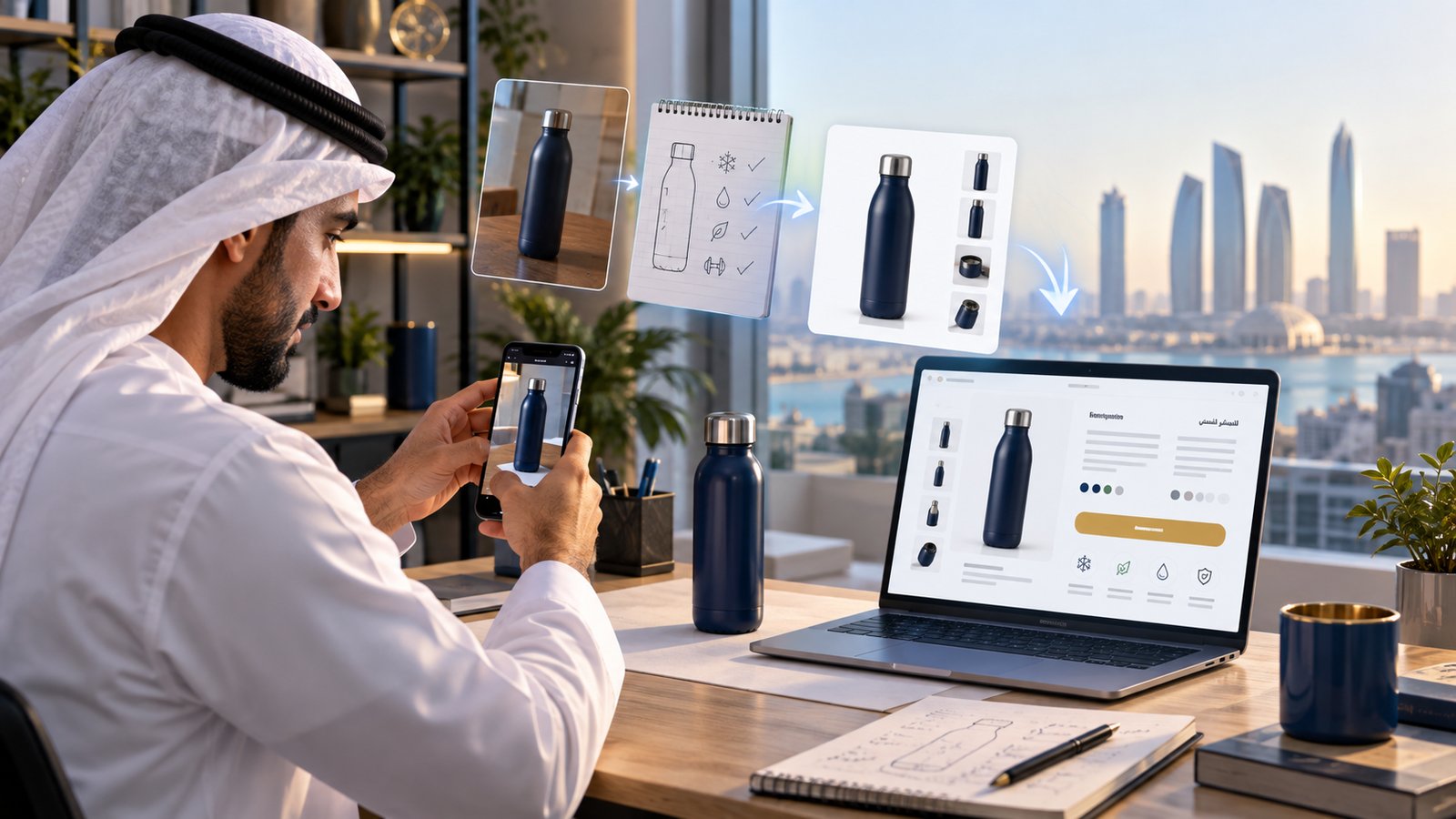
He had the product—a navy insulated water bottle—but not a finished listing. His phone contained two ordinary photos, while the supplier had sent only these notes:
- Stainless steel
- 750 ml capacity
- Leak-resistant lid
- Suitable for work, travel and gym
- Navy blue
No professional photograph. No polished title. No Arabic copy.
Omar could postpone the opportunity—or turn those raw materials into a publishable listing before lunch.
Omar is a fictional composite representing a common small-seller situation.
The workflow at a glance
| Stage | Starting point | Useful output |
|---|---|---|
| 📷 Prepare | Ordinary phone photo | Clean, correctly sized product image |
| ✍️ Write | Five verified product facts | Title, bullets and description |
| 🌍 Localize | Approved English listing | Arabic copy for GCC shoppers |
| ✅ Review | AI-generated draft | Accurate, platform-ready listing |
💡 The important idea: AI should organize and improve verified information—not invent product features.
Step 1: Prepare the product image
Omar selected his clearest photograph and opened the Azan AI Product Image Studio.
The studio includes presets for Amazon, Noon, Shopify, Etsy, TikTok Shop, eBay and social channels. It can resize multiple images, center the product and create more consistent outputs for the selected platform.
For the main image, Omar checked that:
- The complete product was visible
- The color matched the real item
- There was no promotional text or watermark
- The product was large enough to see clearly
- The image dimensions matched the target marketplace
Google also recommends using a clear view of the real product, showing the correct variant and avoiding promotional overlays. Its Merchant Center image guidelines are a useful reference even if you sell through other channels.
🟡 Quick warning: Do not use an AI-generated image that changes the product’s shape, included accessories, color or quantity. A beautiful but inaccurate image can create returns and unhappy customers.
For a more detailed image workflow, read Amazon & Noon Product Photos, Done Right.
Step 2: Turn facts into buyer-friendly copy
Next, Omar opened Azan AI Listing Studio and entered only facts he could verify.
His input
``text Product: Insulated water bottle Material: Stainless steel Capacity: 750 ml Color: Navy blue Feature: Leak-resistant lid Uses: Work, travel and gym Audience: Adults and students Tone: Clear and practical ``
The tool organized these notes into a product title, benefit-led bullets, description, keywords, meta content and social copy.
Instead of writing:
“Very good premium bottle for everyone.”
He now had a clearer direction:
“750 ml Insulated Stainless-Steel Water Bottle with Leak-Resistant Lid – Navy”
The improved version tells the buyer what the product is, its capacity, material, practical benefit and color.
🔵 A useful listing formula:
Product type + important specification + material + verified benefit + variant
Before choosing a title, Omar also checked the short guide on writing product titles that rank and sell.
Step 3: Create the Arabic version
An English listing is useful in the UAE, but a localized Arabic version can help a seller communicate with more GCC shoppers.
Omar pasted his approved English copy into the English-to-Arabic Product Listing Translation tool.
Unlike a word-for-word translation, the workflow is designed to preserve product facts and listing structure while producing right-to-left Arabic copy and localized keyword suggestions.
He still reviewed four details carefully:
- Brand and model names
- Measurements and quantities
- Materials and compatibility
- Guarantees, certifications and performance claims
🟢 Best practice: Approve the English source first. If the source contains an error, translation can carry that error into another market.
Step 4: Run the five-minute truth check
Omar did not publish immediately. He compared every generated section with the product and supplier information.
The F.A.C.T.S. check
- F — Features: Are all features genuinely present?
- A — Accuracy: Are size, color, material and quantity correct?
- C — Claims: Have unsupported words such as “best,” “guaranteed” or “100% leakproof” been removed?
- T — Target market: Does the language suit the marketplace and customer?
- S — Search clarity: Can a buyer understand the product from the opening words?
Only after passing these checks was the listing ready for upload.
What changed before lunch?
Omar started with a phone photo and five rough facts. He finished with:
- A cleaner marketplace-sized product image
- A structured English listing
- A localized Arabic version
- A reusable process for his next product
The real benefit was not merely faster writing. It was having a repeatable system that reduced blank-page work while keeping the seller responsible for accuracy.
Frequently asked questions
How long does an AI product listing really take?
Once your facts and a usable photo are ready, a single listing takes roughly 20–30 minutes end to end — image, English copy, Arabic version and a final review. The first one is the slowest; after that you are reusing a process, not starting from a blank page.
Will the same listing work on Amazon, Noon, Shopify, Etsy, TikTok Shop and eBay?
The core facts and benefits carry across every marketplace, but each platform has its own image sizes, title limits and category fields. Prepare the listing once, then adjust the title length and image dimensions to match wherever you publish.
Do I still need an Arabic version if I sell in the UAE?
English works, but a properly localized Arabic listing helps you reach more GCC shoppers and reads as more trustworthy. Localize the meaning and keywords rather than translating word for word.
Is AI-generated listing copy safe to publish?
Yes — as long as you stay responsible for accuracy. Feed the tool only verified facts, and run every draft through a quick check (like the F.A.C.T.S. list above) before it goes live.
🚀 Your next action: Choose one product that has been waiting in your drafts. Gather its verified facts, prepare the image, generate the listing and review it with the F.A.C.T.S. checklist.
Start building your listing with Azan AI—then improve the process each time you launch another product.
Azan AI community
Join the Conversation
Was this guide useful?
Comments
Have a question or an idea to add? Share it with the Azan AI community.
Loading comments…
Reference: Blog #7 — quote this number if you contact us about this article